EzyBiz · 2026
Accounting, point of sale and tax-compliant invoicing in one app a shop owner can actually run
An eight-module business platform for Malaysian small businesses — quotes to receipts, purchases to suppliers, a till that works without signal, and e-invoices structured for LHDN.
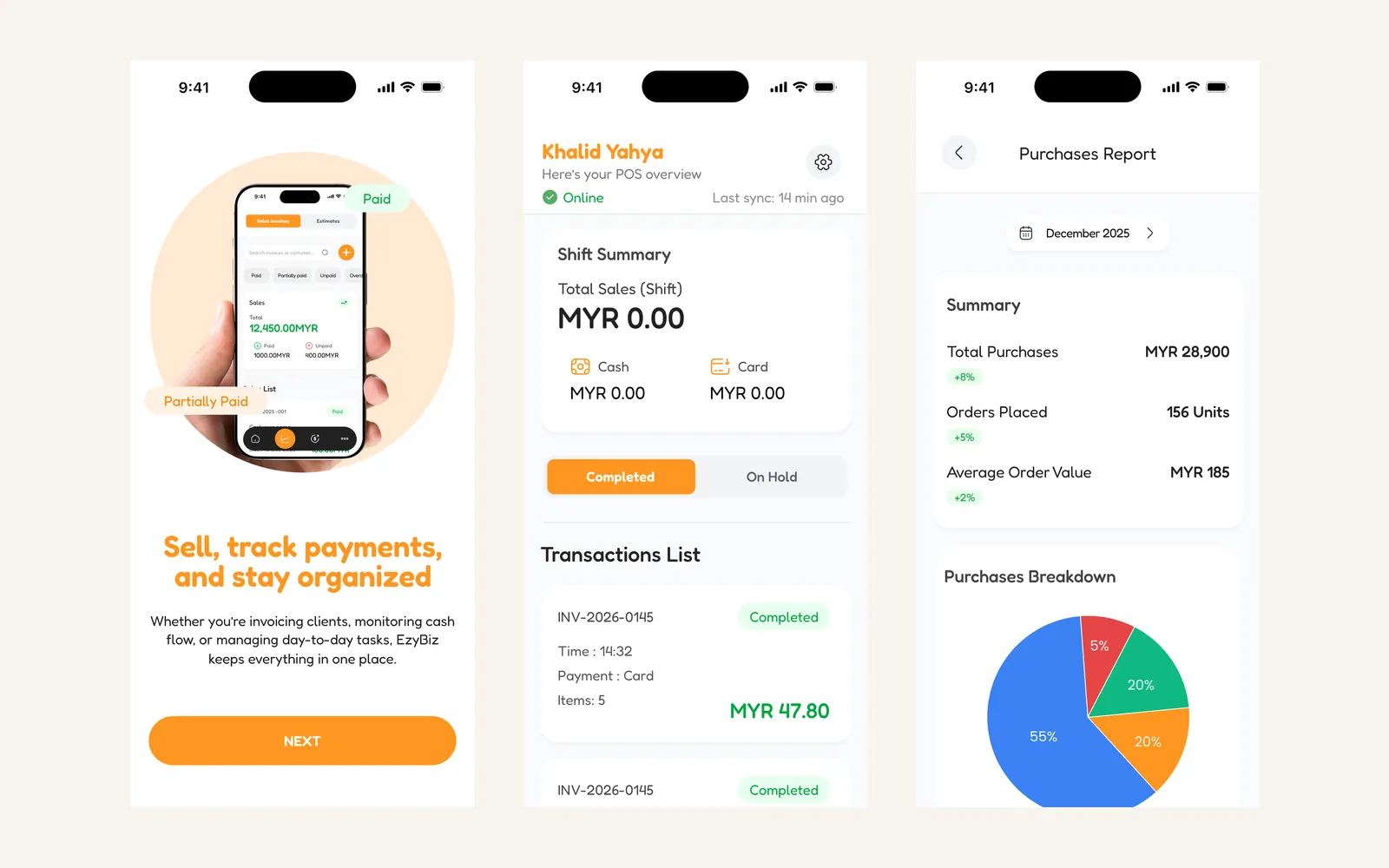
Context
Malaysian small businesses have been pulled into e-invoicing by LHDN, the national tax authority. For a business already running on a spreadsheet and a receipt book, that is not a small administrative change — it is a requirement to produce structured, validatable invoices for transactions that were previously a scribble and a staple.
EzyBiz is an eight-module system built to make that survivable: the accounting a small business needs anyway, with the compliance folded in rather than bolted on.
Problem
The people this is for are not accountants. They run a restaurant, a supplies company, a bakery. They need to take a payment at a counter, send an invoice that gets paid, know who owes them money, and produce something defensible at year end. Software that assumes double-entry fluency loses them at the first screen.
Two constraints made this harder than a standard CRUD app. A till has to keep working when the shop's connection drops, because a queue does not pause for a network. And an e-invoice has to be structurally correct at the point it is issued, not fixed up later, because its whole purpose is to be verifiable by someone else.
Approach
Eight modules, one ledger. Sales, purchases, POS, reports, e-invoicing, role-based access, AI insight and deployment are separate surfaces over shared books. Ringing up a sale at the till, issuing an invoice, and recording a supplier bill all move the same numbers, so they are the same data with different screens on top rather than three subsystems that reconcile.
Offline as the normal case, not the error case. The point-of-sale module holds sales locally and syncs when it can. The header carries a plain "last sync" line rather than a connection icon, because the useful question is not whether there is signal now — it is how much of today's takings the server has yet to hear about.
Compliance built into the invoice, not printed on it. Invoices are generated with an LHDN-ready structure, a hash identifier and a QR code that can be validated without the validator trusting the app. That is what makes it an e-invoice rather than a PDF that looks like one.
Roles that map to a shop floor. A cashier can complete a sale and close a shift, and cannot see margins, supplier pricing or the balance sheet. That distinction is the reason role-based access is a module rather than a checkbox.
Forecasting over the business's own numbers. Sales prediction, cash-flow projection, anomaly detection and profit trends run on the shop's history rather than on an industry model. Every output is phrased as something to look at — an unusual expense, a month that trends short — rather than as a decision the software has made.
Decisions and trade-offs
Phone first, and only. There is no desktop client. That is right for the counter and wrong for the year-end sit-down with an accountant, which happens on a laptop with a spreadsheet open. Exports to PDF and Excel are the bridge, and a bridge is not the same as a proper web ledger.
Offline sales can conflict. Two devices selling the same last unit while both are offline will both succeed, and inventory reconciles when they sync. Refusing offline sales would make that impossible and would also make the till useless in exactly the moment it is needed. For stock levels in a small shop, a late correction beats a blocked sale — for a business with tight, high-value inventory, it would not.
AI that suggests and never posts. The insight module can flag an anomaly but cannot create, amend or reverse a transaction. A forecast being wrong should cost attention, not the books.
Result
Eight modules covering the working life of a small business: quotations, sales orders, invoices, receipts and receivables; purchase orders, supplier bills, returns and payables; a point-of-sale till with barcode scanning, discounts, tax, multiple payment methods, daily closing and offline operation; eight report types with PDF and Excel export; LHDN-ready e-invoicing with QR validation and offline verification; role-based access down to cashier restrictions; and six kinds of forecast over the business's own history.
The build
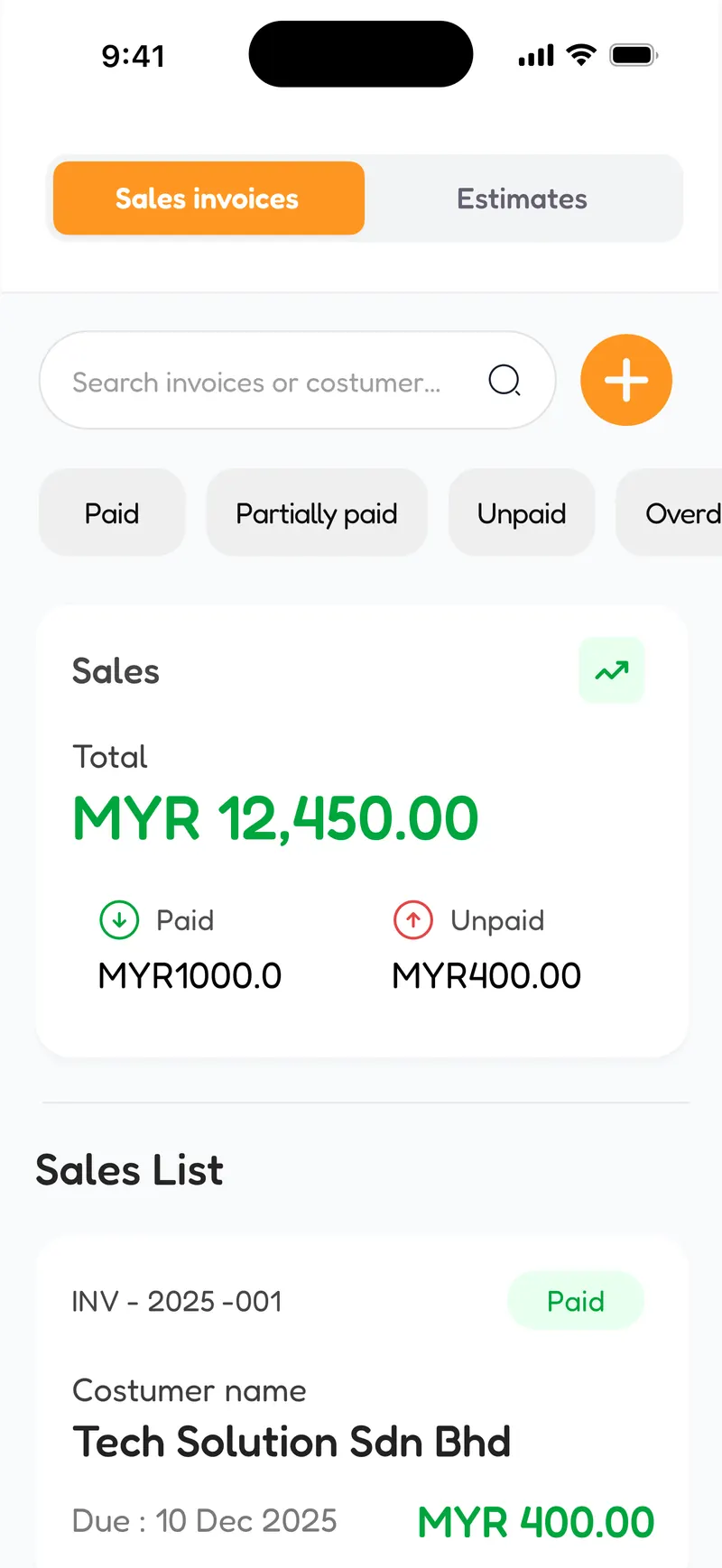
Sales and invoicing. The filter that matters most is the one for who has not paid yet. 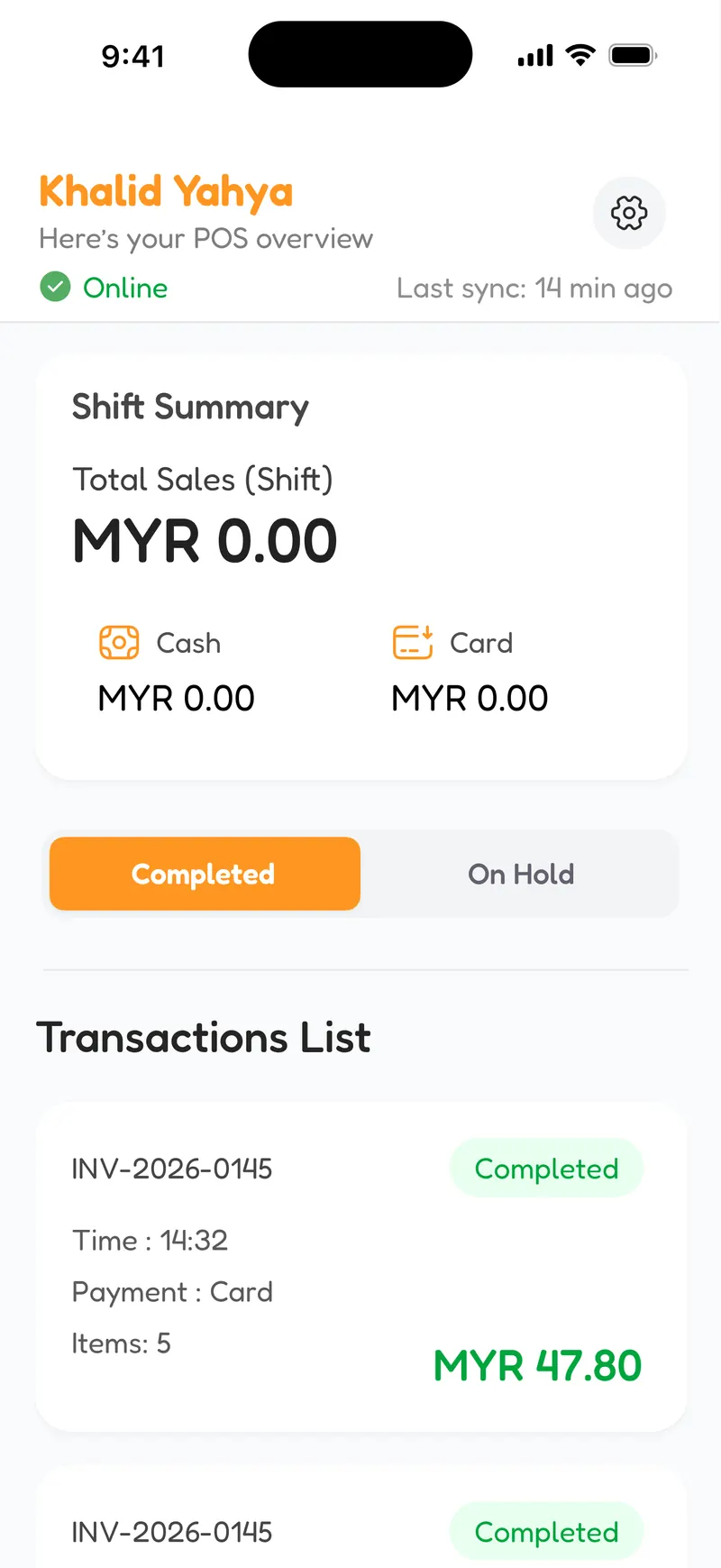
The till, framed as a shift rather than a session — that is the unit a cashier is accountable for. 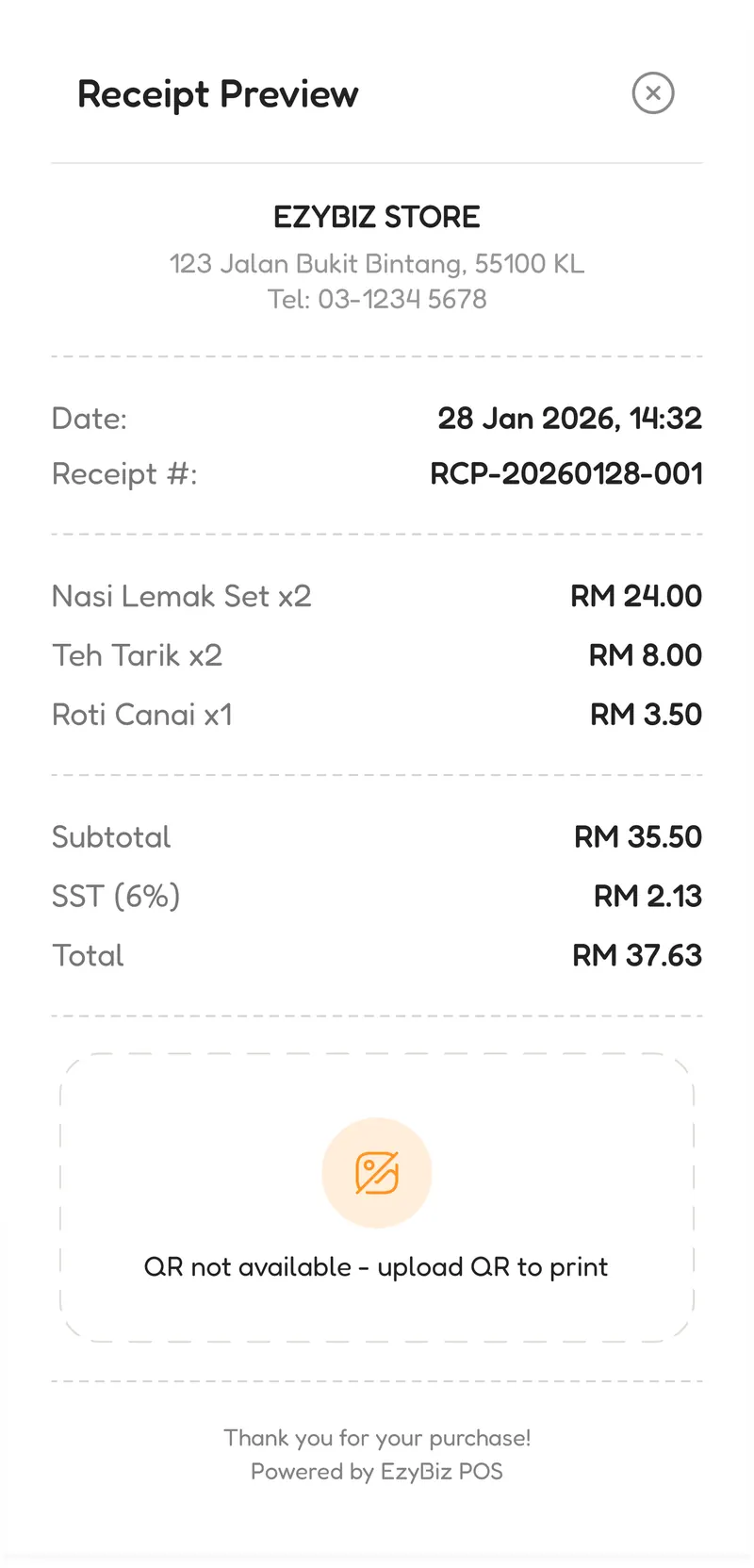
Receipts carry the QR that makes the invoice checkable. SST is calculated, not typed. 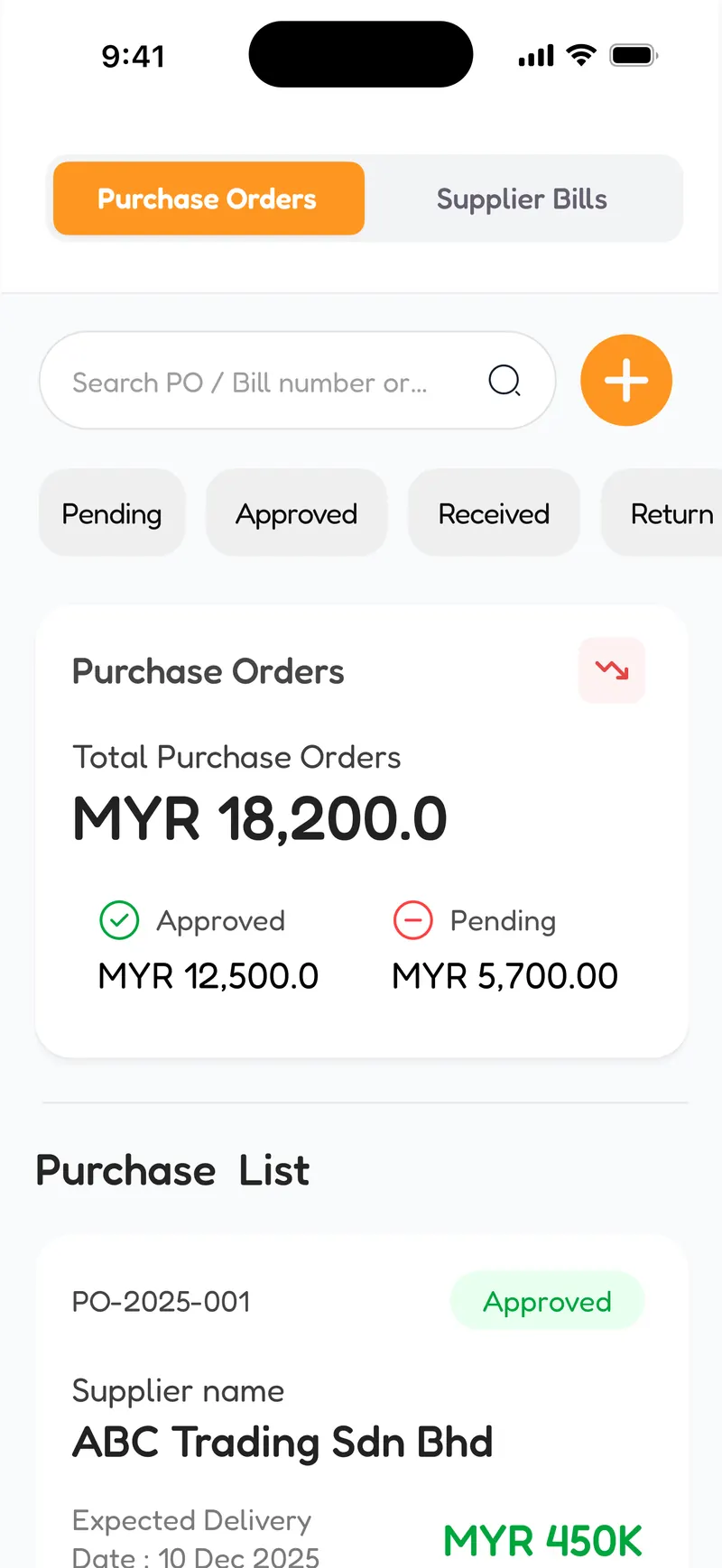
The other half of the ledger. Purchases feed supplier balances and inventory cost. 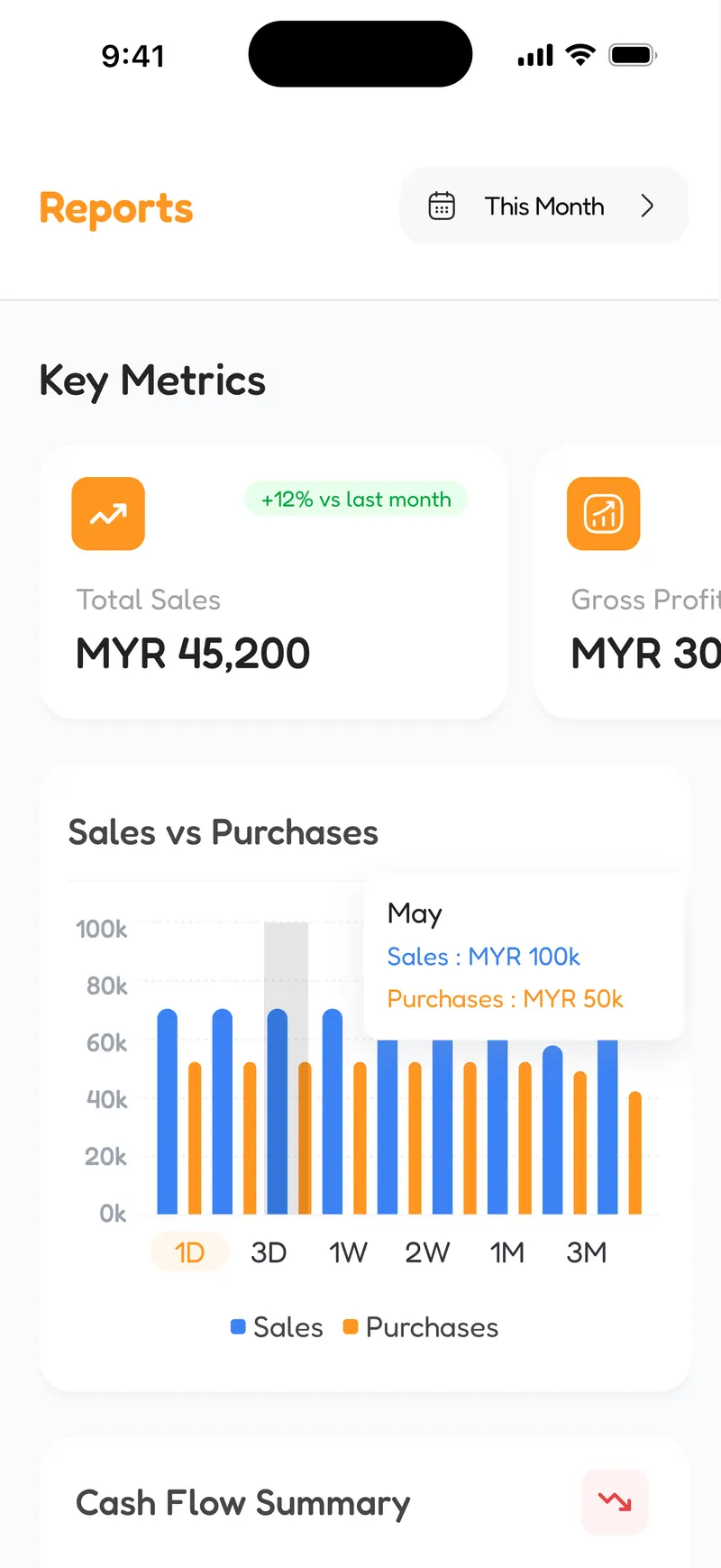
Profit and loss, balance sheet, cash flow and ageing — the reports an accountant asks for at year end. 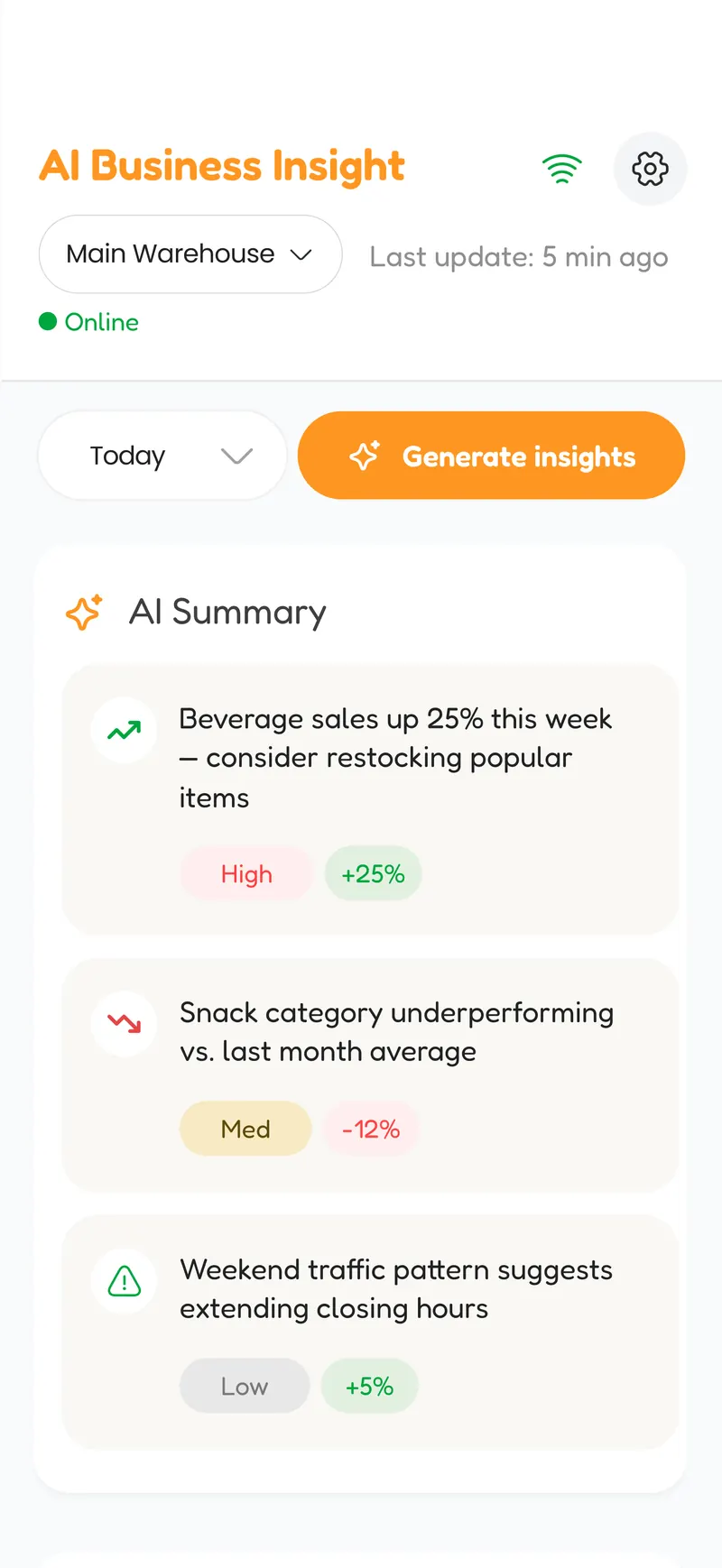
Forecasting runs over the shop's own history. It is framed as a prompt to look, never as an instruction.
Want the detail behind any of this? Email me.